Get started
Sign up, add a URL, and the first scan usually finishes in a few minutes.
Free for up to 3 apps. No credit card.
From signup to your first scan
Sign up. Enter your email, confirm it with the code WyrmSight sends, and name your workspace. You start on Free with a one-week trial of Starter, so you can try daily scans on up to 5 applications before choosing a plan.
Add your first application. Give it a name and the address to scan, such as
shop.example.com. "Run first scan now" is already ticked. To add several at once, import a CSV or a text file of domains.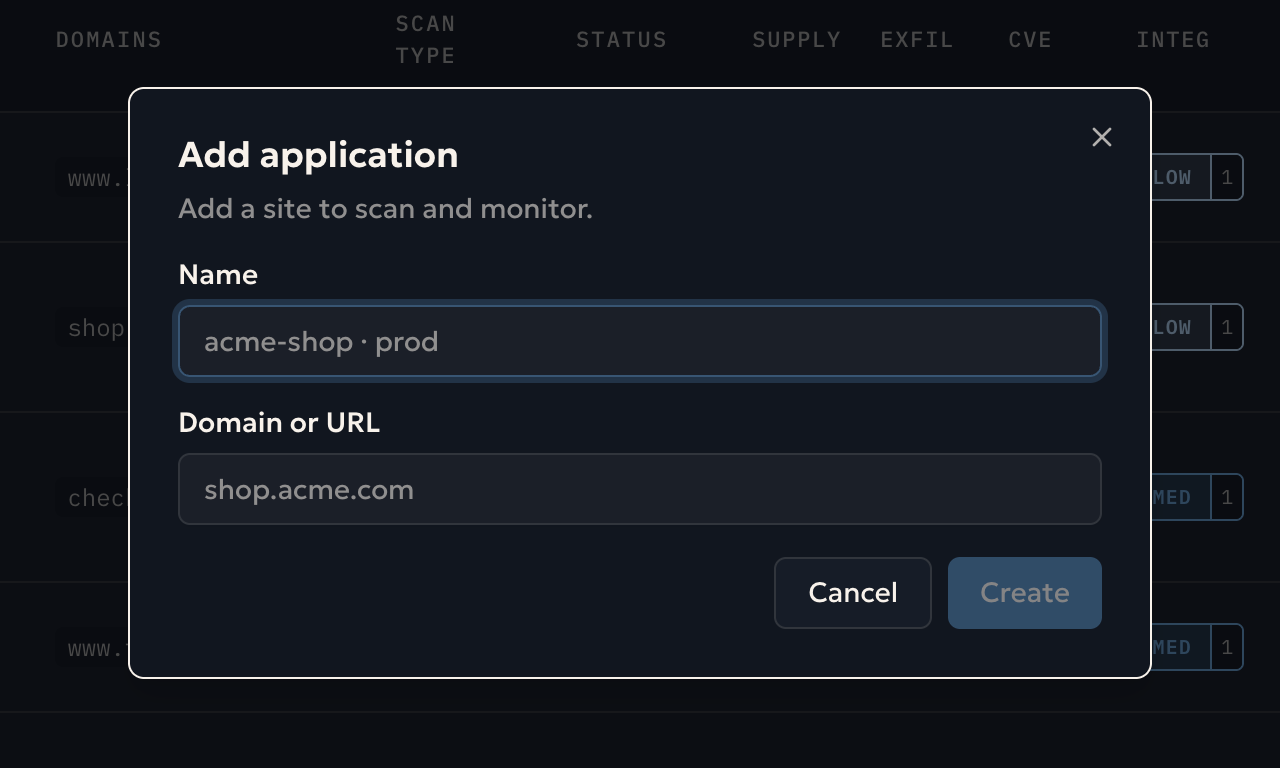
Data from our demo sites. Watch the first scan. The application's page opens and fills in on its own when the scan finishes, usually within a few minutes.
Read the connections. The Connections tab lists every domain the page contacted, split into first party and third party. The Loaded column shows how each one got there:
directmeans your page requested it, andvianames the domain that loaded it. Expand a row to see the chain.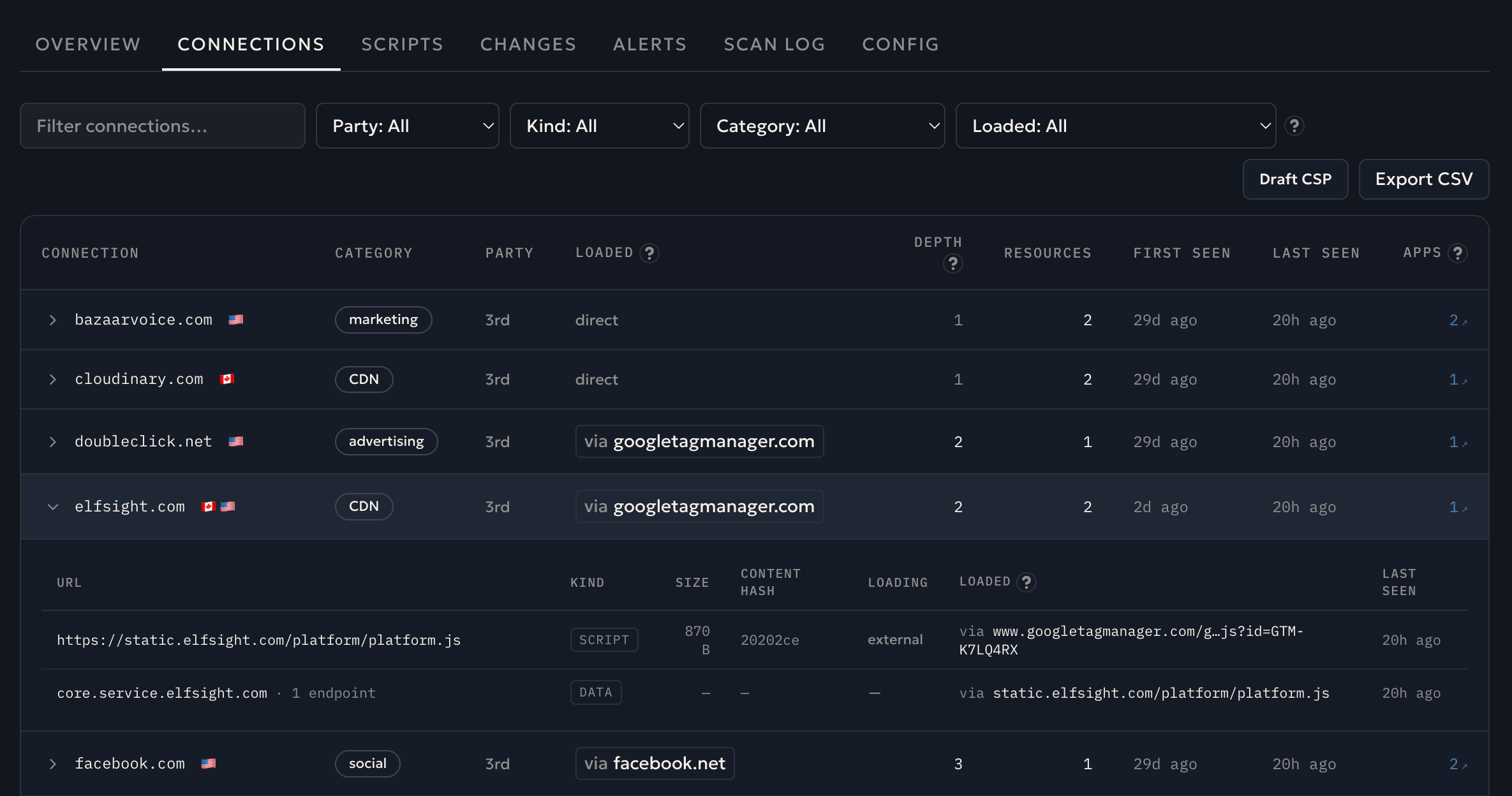
Data from our demo sites. Come back after the next scan. The first scan sets the baseline, so the change feed starts with the second one. During the trial that's the next day. From then on the Changes tab shows what appeared, changed or went away, and Alerts lists anything that needs a look.
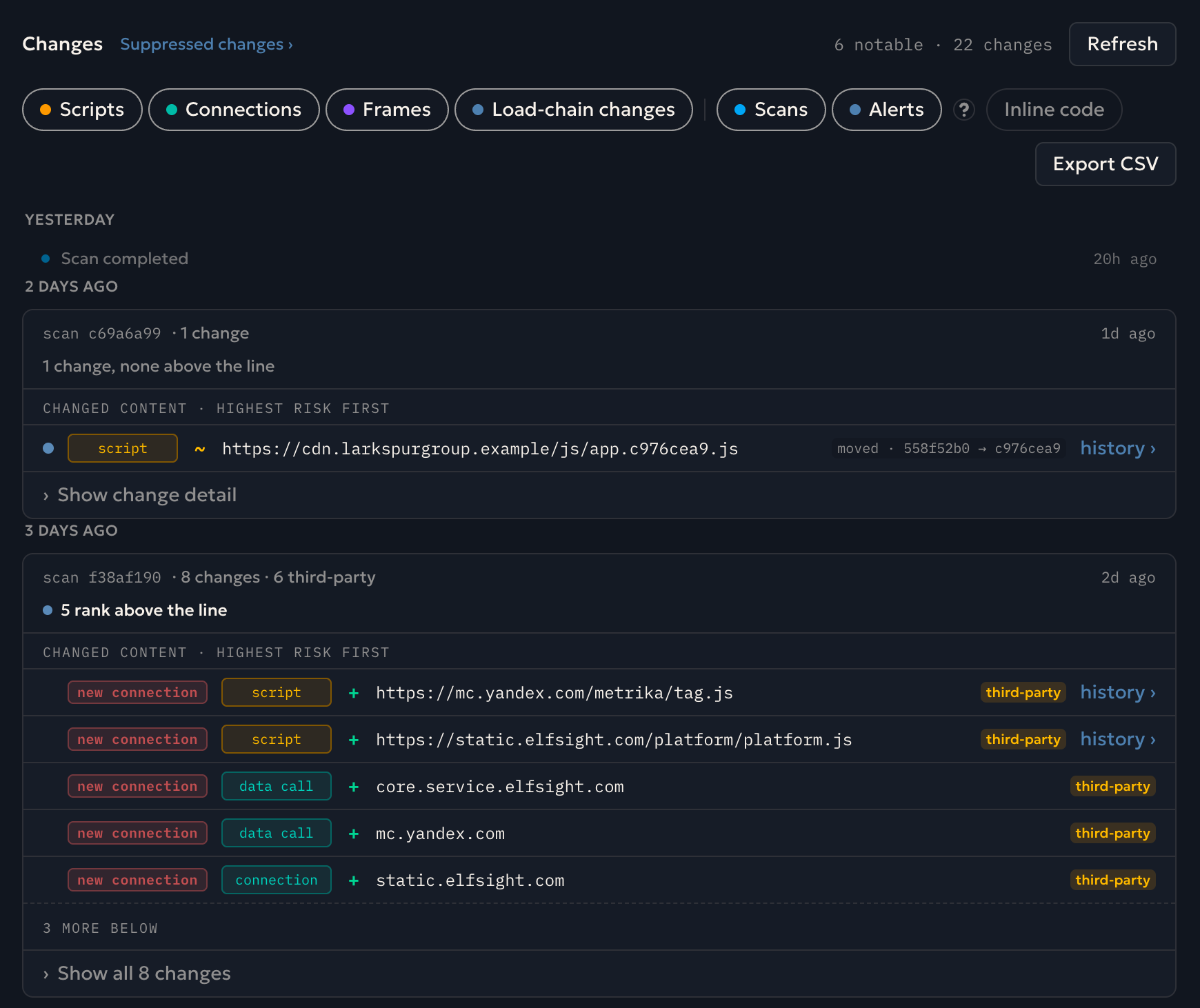
Data from our demo sites.
Before you add a site
Start with every site on your organization's external surface. Include every internet-facing site: marketing sites, customer portals, support sites and your flagship application. WyrmSight can't reach internal applications, so leave those off the list. The domains of the sites in your workspace count as first party, so the picture gets more accurate the more you add. You don't need to add web assets that don't serve web pages, such as API endpoints and CDNs.
Nothing changes on your side. There's no agent to install and no script tag to add. WyrmSight views your site from a browser.
What a scan does. It loads the page at the address you added and records the connections. It only observes. WyrmSight doesn't spider, inject traffic, or try to bypass authentication. A scan is no different than a human with DevTools open.
Once the first scan is in
Claim your own domains. In your workspace settings, list any other domains you run, such as a CDN, so they count as first party.
Invite your team. Add users and give each a role. Multi-factor sign-in is available.
Scan pages behind a login. On Professional, a scripted session lets you set up a series of steps, which can include signing in, so WyrmSight can scan a page behind the login. Credentials are stored encrypted and used only during a scan.
Set the countries you allow. A connection located anywhere else triggers an alert. Some connections can't be placed in a country, and those don't trigger one.
Get a starting CSP. WyrmSight drafts a Content Security Policy from what it observed. It's basic, and enforcing it is up to you.
Export. You can export the main lists to CSV.
Not ready to sign up? Check your own site in five minutes
You can see part of this yourself with nothing but a browser.
- Open your homepage in Chrome, Edge or Firefox, open the developer tools (F12 on most systems) and click the Network tab.
- Reload the page. If there's no Domain column, right-click a column header and add it, then sort by it.
- Write down every domain that isn't yours.
- Put that list next to your vendor register and see how many rows match.
- Do it again next week and compare.
WyrmSight does the same job for every application on a schedule, and keeps the history.
The Blind Spot in the Browser
What your web pages are made of, where each piece comes from, and what changes over time.
A 15-page paper by Jason Gillam. PDF, no sign-up.
Add your first application
Free for up to 3 apps. No credit card.